
Blog
Xbox Wireless Controller with USB: A Reliable Choice for Console and PC Gaming

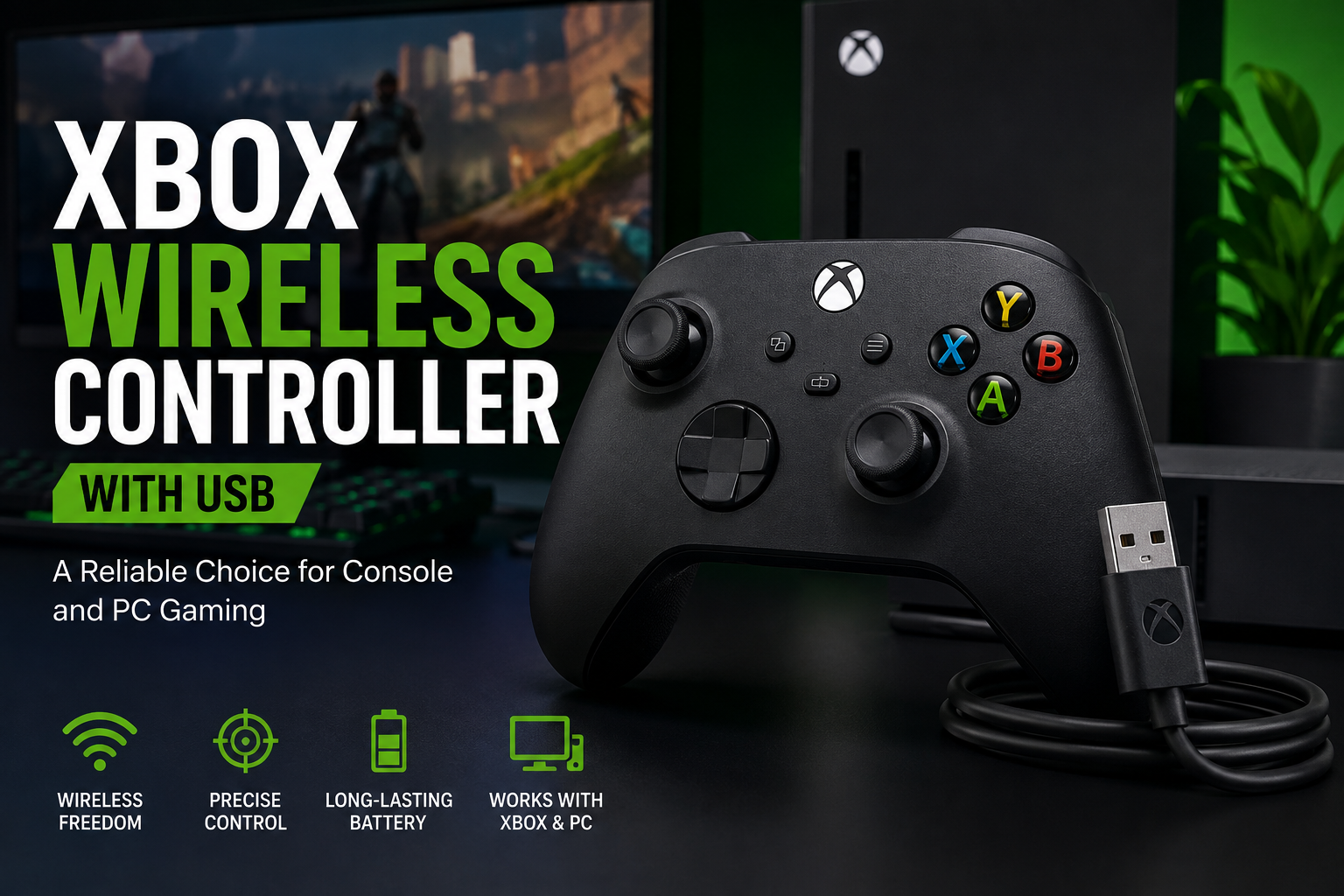
Finding a gaming controller that combines comfort, responsive controls, flexible connectivity, and dependable performance can significantly improve your gaming experience. The Xbox Wireless Controller with USB is designed for gamers who want smooth control across compatible Xbox consoles and Windows PCs. Its familiar layout, textured grip, responsive buttons, and versatile connection options suit everything from competitive gaming to casual play.
The modern Xbox Wireless Controller supports Xbox Wireless and Bluetooth connectivity, while compatible versions can also connect through USB. Microsoft lists compatibility with Xbox Series X|S, Xbox One, Windows PCs, Android, and iOS devices, although compatibility can vary by device and operating system.
Why Choose the Xbox Wireless Controller with USB?
A good controller should feel natural in your hands while giving you accurate control over every movement. The Xbox Wireless Controller features a familiar Xbox layout, with refined geometry and sculpted surfaces for comfortable gameplay. Textured triggers, bumpers, and grips help provide a more secure hold during longer gaming sessions.
The Xbox Wireless Controller +USB option is particularly useful for gamers who want flexibility. Wireless connectivity frees you from unnecessary cables, while a compatible USB connection offers a convenient wired setup for supported devices.
Whether you enjoy racing games, action titles, sports games, RPGs, or competitive shooters, having a dependable controller can help you stay focused on the game rather than worrying about uncomfortable controls.
Comfortable Design for Long Gaming Sessions
Comfort is one of the most important factors when choosing a controller. The Xbox Wireless Controller features sculpted surfaces and refined geometry for a comfortable grip. Textured surfaces on the triggers and bumpers can also help improve control when your gameplay becomes intense.
The hybrid D-pad offers precise directional input and works well for games that require quick movement between directions. The traditional Xbox button arrangement also makes the controller easy to understand for both experienced players and newcomers.
For gamers who spend several hours playing, the ergonomic shape can make the experience more comfortable than poorly designed controllers.
Flexible Wireless and USB Connectivity
One of the biggest advantages of the Xbox Wireless Controller is its connectivity. Compatible models use Xbox Wireless for Xbox consoles and Bluetooth for supported Windows PCs, tablets, Android devices, and iOS devices.
USB connectivity provides another practical option. Connecting a controller through a compatible USB cable can be useful when you prefer a wired setup or want an alternative to wireless play.
Microsoft also highlights the controller’s ability to pair with and switch between supported devices, making it a versatile option for gamers who use more than one gaming platform.
Xbox Wireless Controller for Xbox and PC
If you play games on both console and PC, the Xbox Wireless Controller for sale It can be a great upgrade for enhancing your overall gaming setup. Its familiar controls make it easy to transition between Xbox and supported Windows games.
The controller is compatible withCompatible with Xbox Series X|S, Xbox One consoles, and Windows 10 or Windows 11 PCs. with additional compatibility for selected Android and iOS devices. Microsoft recommends checking device and operating-system compatibility because some features may vary between platforms.
For PC gamers, controller support can be especially useful for racing games, platformers, sports titles, adventure games, and games designed around analog-stick movement.
Dedicated Share Button for Gaming Content
Modern gaming is not only about playing; many gamers also enjoy capturing and sharing their best moments. The Xbox Wireless Controller includes a dedicated A share feature that simplifies the process of capturing and sharing screenshots. recordings on supported systems.
This feature can be useful when you want to save an impressive play, record an entertaining moment, or share gameplay with friends. Instead of navigating through multiple menus, the dedicated button puts content capture within easy reach.
Precise Controls for Different Game Genres
A controller needs to perform well across different game genres. The Xbox Wireless Controller is designed to deliver responsive controls across a wide range of gaming experiences.
The analog sticks support movement and camera control, while the triggers provide precise input for racing, shooting, and other action-oriented games. The hybrid D-pad also helps with directional commands, menu navigation, fighting games, and platformers.
The textured grip helps keep the controller secure in your hands, which can be particularly useful during fast-paced gameplay.
Battery and Everyday Convenience
Compatible Xbox Wireless Controller models can use AA batteries, and Microsoft lists up to 40 hours of battery life under its testing conditions.
For gamers who prefer rechargeable solutions, compatible rechargeable battery accessories can provide another way to manage power. A USB connection can also be convenient when you want a wired gaming setup.
Why Buy Xbox Wireless Controller with USB?
If you want a controller that combines wireless freedom with convenient wired connectivity, buying an Xbox Wireless Controller with USB can be a practical choice. You get a familiar Xbox control layout, comfortable ergonomics, broad compatibility, and multiple connection possibilities.
It is also a useful choice for households where one controller may be used across different supported devices. Instead of purchasing separate controllers for every gaming platform, a compatible Xbox Wireless Controller can provide a flexible solution.
Before purchasing, always confirm the exact model, included cable or accessories, compatibility, and current product availability.
Buy Xbox Wireless Controller Online from Ultimate Gaming Gears
When you want to buy an Xbox Wireless Controller online, Ultimate Gaming Gears provides a convenient destination for gaming hardware and accessories. The Xbox Wireless Controller with USB product page gives shoppers a dedicated place to review product details before ordering.Choosing the right controller is about more than simply finding the lowest price. Consider compatibility, connection options, comfort, controls, and included accessories. These factors can help you choose a controller that fits your gaming setup.
Is the Xbox Wireless Controller with USB Worth Buying?
For gamers who want a versatile controller from the Xbox ecosystem, the Xbox Wireless Controller +USB offers a strong combination of comfort, familiar controls, wireless functionality, and wired connectivity. Its support across Xbox consoles and compatible PC and mobile devices also makes it useful for multi-platform gaming.
If you are searching for an Xbox Wireless Controller for sale, this model is worth considering for everyday gaming, multiplayer sessions, PC gaming, and a variety of controller-supported titles. Its ergonomic design and practical connectivity make it a reliable choice for gamers who value flexibility.
If you want to buy an Xbox Wireless Controller with USB, check the Ultimate Gaming Gears product page for the latest availability and product information before placing your order.
Final Thoughts
The Xbox Wireless Controller with USB combines a familiar Xbox layout with modern comfort, responsive controls, wireless connectivity, and USB support. Its versatile design suits Xbox gamers and PC players who prefer controller-based gaming.
From casual gaming to competitive sessions, a comfortable and dependable controller can make gameplay more enjoyable. With support for multiple compatible platforms and features like textured grips, a hybrid D-pad, and a dedicated Share button, the Xbox Wireless Controller remains a practical option for gamers who want flexibility.